Friday, 23 November 2012

Optimising

Here is another post for my graphics assessment, this time it's:

Optimising:

Optimising is all about making your image the best it can be, you want it high quality so the viewers can see it clearly etc.
Target image output is something you should defiantly consider, this is because you want your image to be high quality, but not too high as it may take a while to load. The higher the quality the more time it takes to render the image as there is more information to it.

Image bit depth is about the amount of bits available to a raster graphic image, the more bits (colours) the better the quality as there is more shades allowing for more colours and more detail

color_depth_compare

Image resolution is to do with the bits available in the image and how defined the image is, a low quality picture with 8-bit colours and a high resolution won't help but a high quality one with 16-bit colours will be more defined than a lower resolution

Image dimensions allow the user to scale images without distorting the image, e.g. the user would be able to transfer an A4 picture to an A3 picture whilst keeping the same quality

Compression is all about memory, it removes data which makes it hold less memory, but distorts the image, if you want to optimise your work, compression is not the best way to go

Storage of Image Assets

Here is another post for my graphics assessment, this time it's:

Storage of Image Assets:

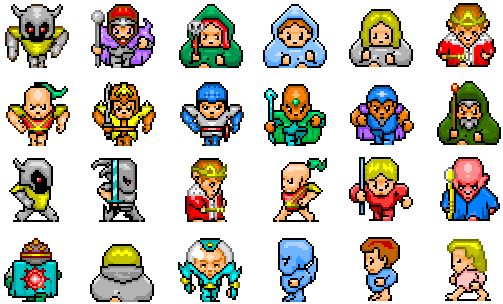
Storing image assets is very important as the assets you will use on a video game will all need to be together, this includes: sprites, locations, artwork, weapons, vehicles etc.


File size is an important factor when storing image assets as you want to be able to fit all of your assets in the same directory and on the same hard drive, going through lossy may help this as it gives the hard drive more memory to store the assets but lossless doesn't always working making the process risky. File formats come into play here as well, as if you are making/ editing the sprite in Photoshop and are not finished when you save you'll save it as a .psd, but if the file is finished and no further edits are needed you should save it as a .jpg to save more memory.

The naming conventions for files to do with games are: 
icon, used for help content e.g. a question mark
img, used for images
button, used for graphical buttons
bg, used for backgrounds
sprite, used for sprites, e.g. characters, weapons, vehicles etc.
These are used to make it easier to define which files belong to which group.

Asset management is important as you want to be able to find what you want straight away, without having to search for it. Using the naming conventions is a way to do this but what if you want to look for a particular sprite, a certain weapon for example, a good way to do this is making a project folder and adding everything in there, then a sub folder for sprites, then a couple of sub folders in that one and name each one, e.g. weapons, vehicles, characters etc. You could even go into further detail by having another sub folder for each individual character, e.g. all there looks, movements, what they look like with an item etc.

Image Capture


Here is another post for my graphics assessment, this time it's:

Print Media Art:

Capturing images is a very important piece in games design, especially for the graphics side, this is because the artists may draw inspiration from the images, they may base some work off the photograph, they may be including that specific location in the game and they could be using that location but changing it, e.g.  a artist has taken a picture of a flat and then added some wildlife to it to make it look like it's been left, not maintained for centuries and plant life has overgrown all over it.

The most common ways of image capture and how to get them to the computer are: digital cameras, tablet computers and scanners.
Digital cameras: digital cameras are used to take images and can link to computers easily using a USB cable connecting to the camera, they are portable, most have rechargeable batteries and take high quality images. Digital cameras can be really expensive but have a higher quality as there sole purpose is image capture, digital cameras can also be cheap, but they don't have as good as specifications as the more pricy cameras on the market.
Tablet computers: tablet computers normally have very high quality cameras, if they have one. But the computers are used for other things, so the designers don't spend a lot of time on the camera, but they make up for it by adding the ability to edit the photo on the computer itself. Tablet computers are normally expensive and may take a while to get used to all of its features.
Scanners: scanners are used to transfer pictures or drawings that are already solid, this may allow an artist to draw something then scan their work into the computer to edit it or even apply it to the game itself. scanners are used commonly and can vary for price, there is a few main problems with scanners though, the image you put in may not be as clear as the drawing itself also if there is any dirt of the scanner, or if an oil pastel painting you're scanning in scans and some of the pastel comes off, the scanner will have that mark on any piece of work you try to scan in.